The Challenge:
Lavely is a service tech start up specialising in sending out party RVSP then collecting the data of users and connecting the users with various party vendors.
The main challenge was to establish a MVP and define a USP for the RVSP feature that is reflected from the User Research.
The Project:
UX Design | UI Branding
Business Goals:
1) Creating a platform that enables the party to host to manage the number of guests and filter through there requirements.
2) Producing a RSVP, invite and thank you cards service in order to collect data on potential customers, by asking them their addresses and contact information.
3) Sending a free of charge invites as an incentive to use the product in an effort to make clear that the service was going to expand and that lavely would eventually offer the users a whole planning event service.
Tools Used:
SKETCH| PHOTOSHOP| ILLUSTRATOR| INVISION APP
Click HERE to read the full case study for this project.
Click HERE to access this Project's prototype on Invison.
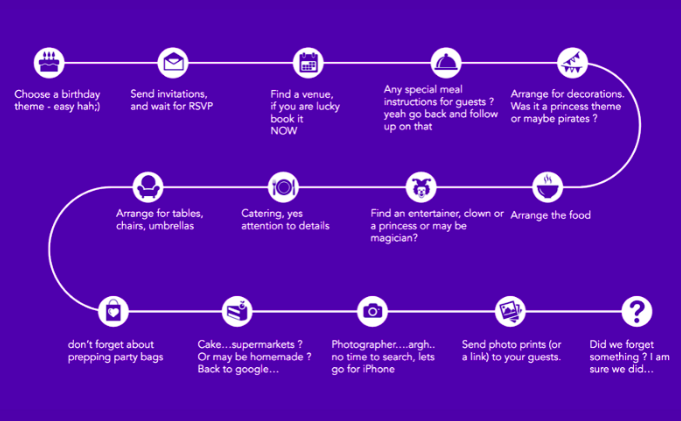
Initial User Journey Map
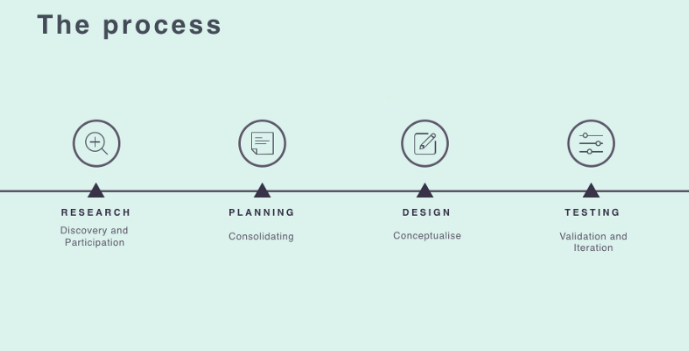
UX Process for this Project
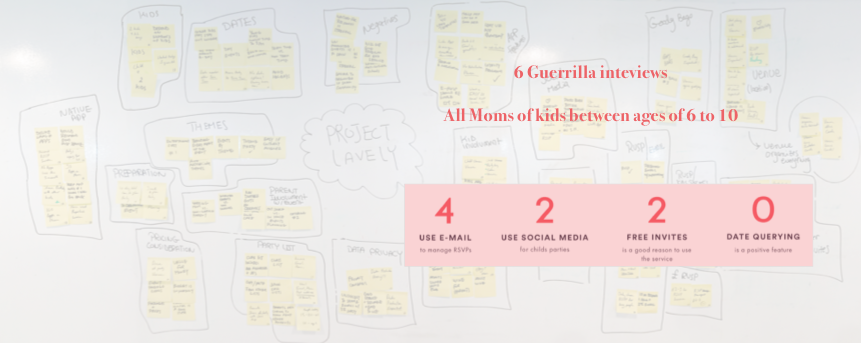
Research Phase and the Affinity Diagram
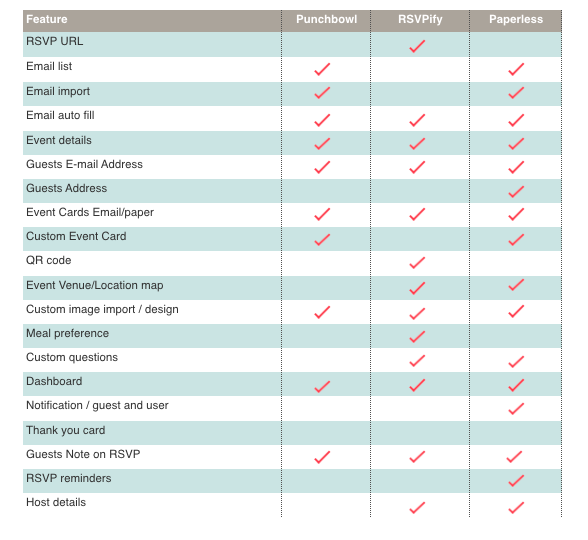
Domain Research / Competitive Analysis
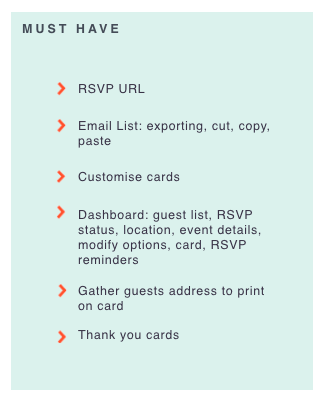
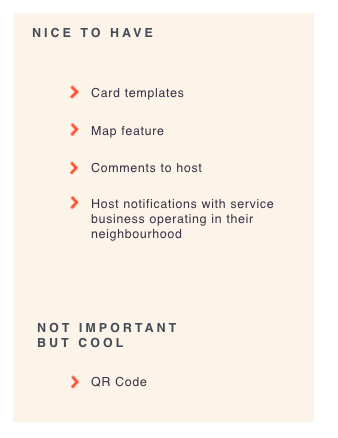
Feature Prioritisation: Must Have, Nice to Have and a Not Important feature.
The next step was to understand the user’s journey behaviour, which will be plotted in a User Journey Map. But before this step, we had to create a Persona to be used as a guide point in our future planning.
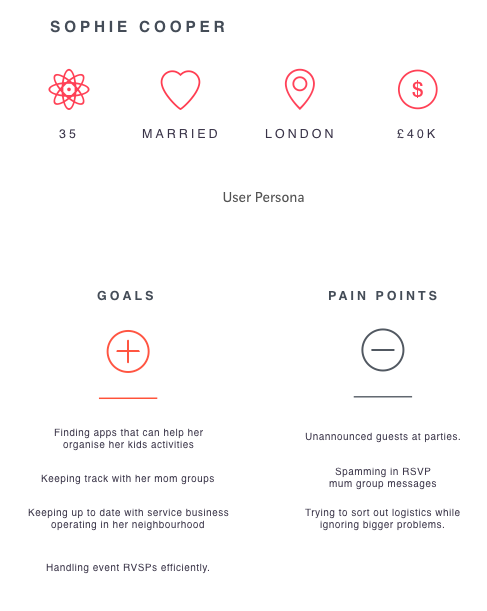
User Persona's Goals and Frustrations
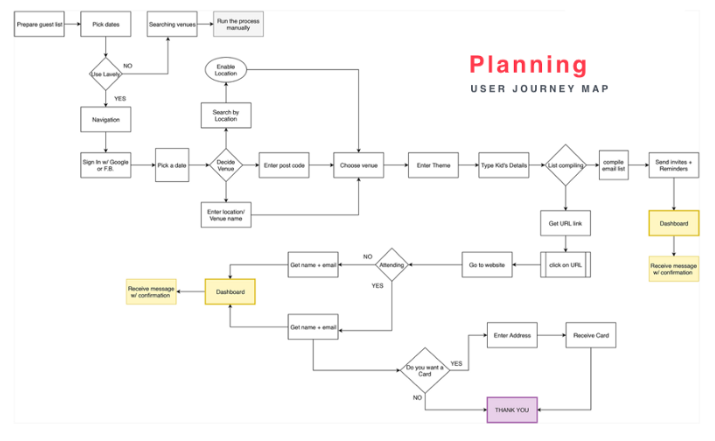
Final User Journey Map
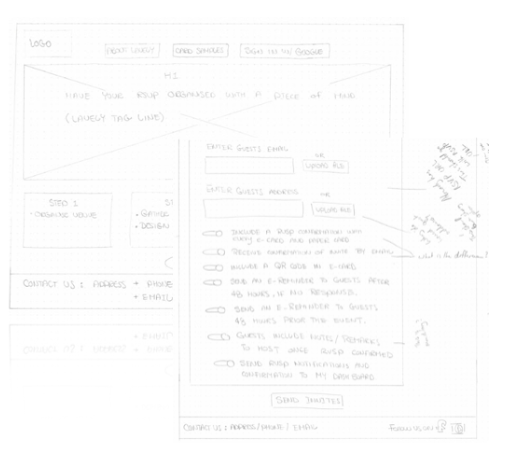
Low Fidelity Wire Frames (Hand Sketching)
The sketch was to highlight the main features and to give a general idea of what the site might look. It was also a good way to establish a good base for the med level sketching and to learn on what to improve through iterations.
1st stage Usability Testing Iterations on the low fidelity sketches (Main Pointers)
Hypothesis questions were designed to ask the user to run through the process and send off cards. Visual input on form designs were taken into consideration when asking the user to be able to click off different options.
Pointers taken from the testing were that:
1) Setting options were too long and some criteria had a repetitive tone.
2) Some lists had to be more elaborative. I.e. number of guests attending has to be more clear whether the guests are children or adults.
3) When typing the cards, it would be nice to have a screen to visualise this feature.
For the full Lavely Project Usability Testing Report, Please refer to the Case Study (Click)
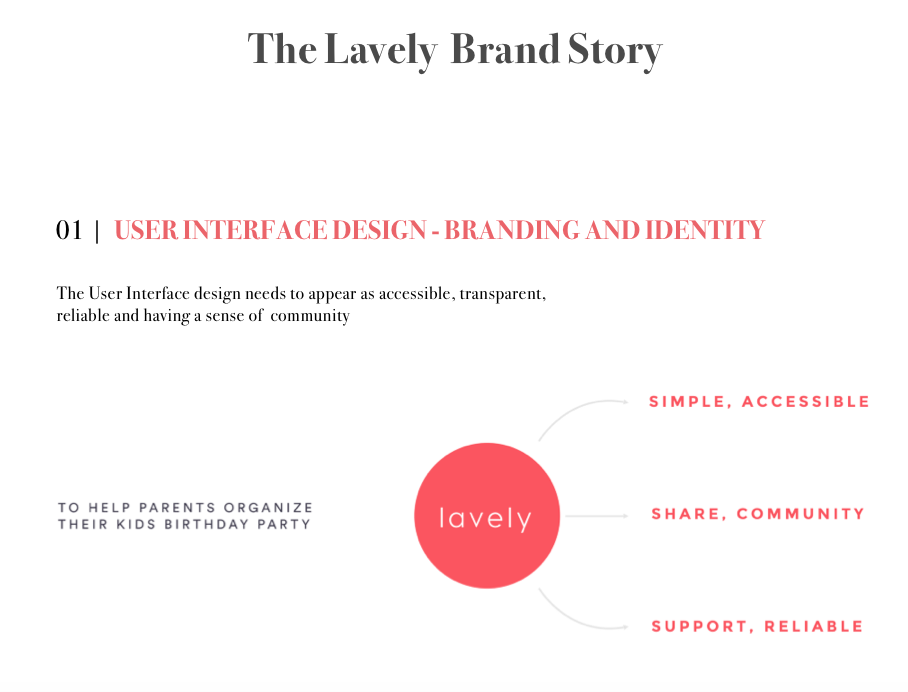
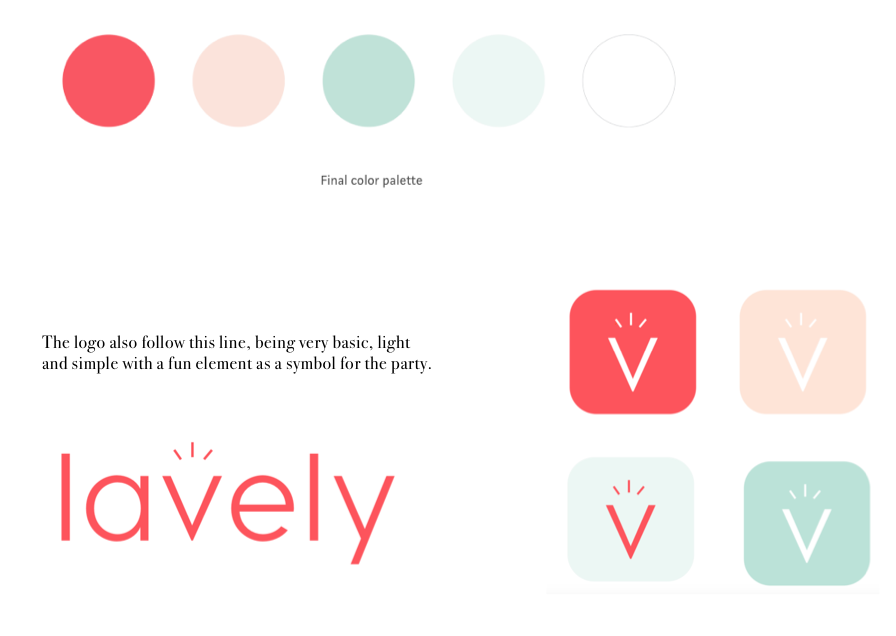
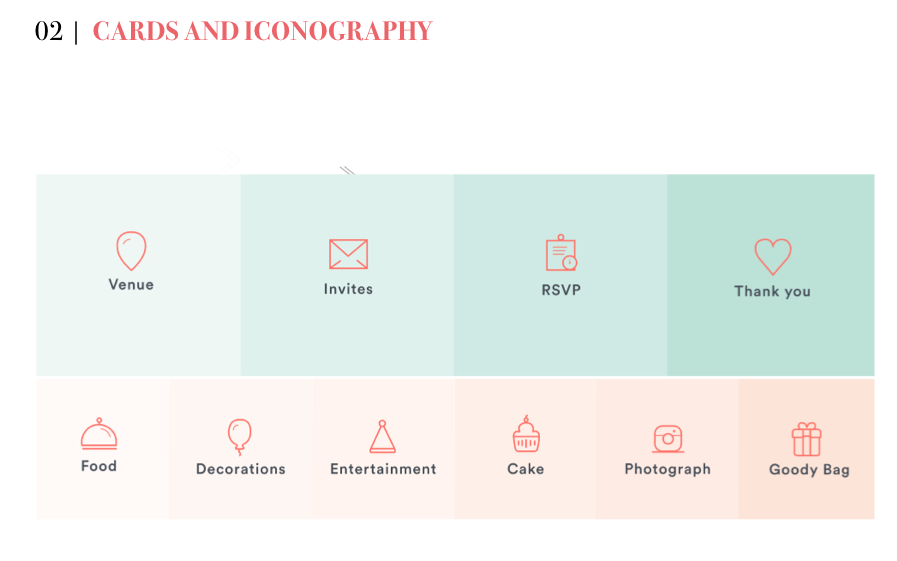
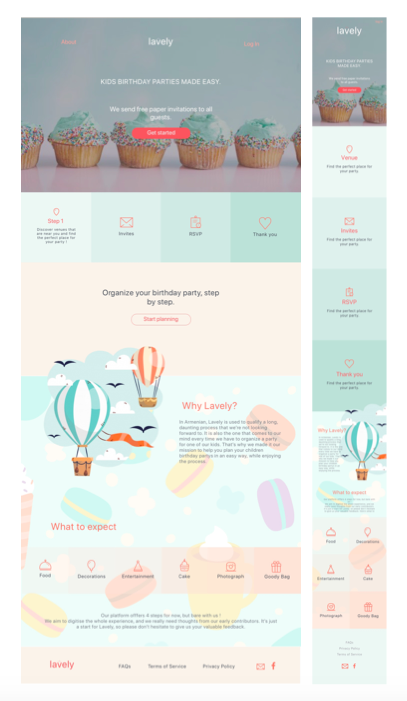
The pastel colors are more present throughout the layout. The reason for this is that parents will be the ones going through the whole process, and it’s important they have a feeling of lightness while going through it.